Mastering the Gradient Multi Lines Brush in Procreate
Digital illustration has evolved far beyond simple sketching tools. Today, artists and designers demand assets that bridge the gap between technical precision and organic creativity. This is where specialized tools like the Gradient Multi Lines Brush Procreate become indispensable. Whether you are a seasoned illustrator looking to streamline your workflow or a hobbyist eager to add professional polish to your lettering, understanding how to leverage this specific brush can transform your digital canvas.
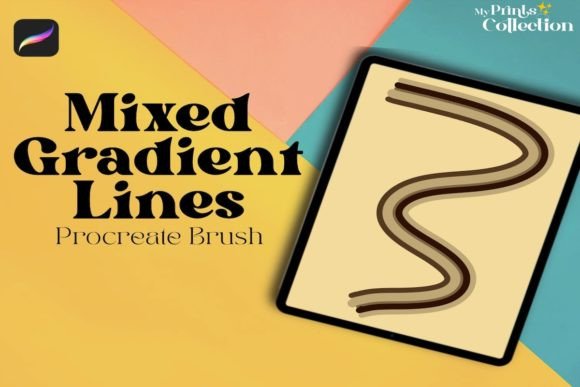
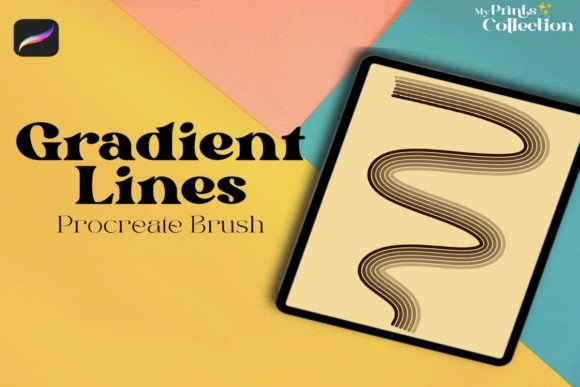
The core appeal of this tool lies in its ability to generate complex, multi-colored strokes with a single gesture. Unlike standard brushes that apply a flat color or a simple texture, this brush integrates gradient logic directly into the stroke path. This means every line you draw carries depth, movement, and visual interest without requiring post-processing effects or layer blending tricks.
Why Single-Stroke Gradients Matter
In traditional digital painting, creating a gradient line often involves multiple steps: drawing the base shape, applying a clipping mask, selecting a gradient overlay, and adjusting opacity. It is a tedious process that interrupts creative flow. The Gradient Multi Lines Single Brush eliminates these friction points. By embedding the gradient behavior into the brush engine itself, it allows for immediate visual feedback.
This efficiency is not just about saving time; it is about maintaining artistic momentum. When you can see the final aesthetic result as you draw, your brain stays engaged in the creative act rather than the technical execution. For professionals working on tight deadlines, such as social media content creators or freelance graphic designers, this speed is a tangible competitive advantage.
Key Characteristics and Technical Strengths
To get the most out of this asset, it is helpful to understand what makes it tick. The brush is designed specifically for the Procreate ecosystem, leveraging the app’s robust brush engine. Here are the notable qualities that set it apart:
- Dynamic Color Transition: The brush smoothly transitions between colors along the stroke, avoiding banding or abrupt shifts.
- Pressure Sensitivity: Like native Procreate brushes, it responds to Apple Pencil pressure, allowing for varied line weights that enhance the organic feel.
- Single File Simplicity: The download includes one
.brushsetfile, making installation straightforward and keeping your library uncluttered. - High Compatibility: It requires Procreate version 5 or higher, ensuring it works with modern features like streamlining and quick shape.
It is crucial to note that this tool is not compatible with Photoshop or Illustrator. It is built exclusively for the iPad environment. This specialization allows the developer to optimize the brush for touch interfaces and the specific rendering capabilities of Procreate, resulting in smoother performance than a generic cross-platform brush might offer.
Practical Applications Across Industries
The versatility of the Gradient Multi Lines Brush Procreate extends beyond simple doodling. Its utility spans various professional and personal contexts.
Lettering and Typography
For hand-letterers, adding dimension to text can be challenging. Using this brush, you can create vibrant, eye-catching headlines for Instagram posts, YouTube thumbnails, or digital invitations. The gradient effect adds a modern, neon-like quality that stands out in crowded social feeds. Instead of manually coloring each letter, you can draft the entire word with a single, flowing stroke that carries the color transition naturally.
Digital Illustration and Character Design
Illustrators can use this brush for detailing hair, clothing textures, or magical effects. Imagine drawing the strands of a character’s hair where the color shifts from deep blue to bright cyan at the tips. With a standard brush, this would require careful shading. With this gradient brush, it happens inherently. It is particularly effective for sci-fi themes, fantasy art, or any style that benefits from luminous, glowing lines.
Branding and Marketing Materials
Entrepreneurs and marketers often need quick, high-quality visuals for presentations or mood boards. This brush allows for the rapid creation of abstract backgrounds, dividers, and accent elements that look polished and intentional. It helps maintain brand consistency by allowing you to customize the gradient colors to match specific brand palettes, ensuring that even spontaneous sketches align with corporate identity.
Enhancing User Experience and Engagement
From a user experience perspective, visuals that incorporate gradients tend to hold attention longer than flat designs. The human eye is drawn to movement and depth. By integrating the Gradient Multi Lines Single Brush into your workflow, you are subtly enhancing the engagement level of your artwork.
For educators teaching digital art, this brush serves as an excellent tool for demonstrating color theory in action. Students can visually grasp how adjacent colors interact when blended dynamically. It lowers the barrier to entry for creating complex-looking art, boosting confidence and encouraging experimentation among beginners.
Implementation Tips and Best Practices
To ensure you are getting the best results, consider these practical recommendations when using the brush:
- Watch the Tutorial: The listing includes a video demonstration. Watching this is essential to understand the specific settings and gestures that unlock the brush’s full potential. Do not skip this step.
- Experiment with Canvas Size: Gradient rendering can behave differently on high-resolution canvases versus smaller sketches. Test the brush on various document sizes to find the sweet spot for your device.
- Layer Management: While the brush is powerful, it still benefits from proper layer organization. Use separate layers for different gradient directions to maintain control over editing later.
- Color Selection: Choose colors that have enough contrast to make the gradient visible, but are harmonious enough to blend smoothly. Complementary colors often yield striking results, while analogous colors provide subtle sophistication.
Final Thoughts on Digital Tool Selection
Selecting the right digital assets is about matching tools to your specific creative needs. The Gradient Multi Lines Brush Procreate is not a replacement for fundamental drawing skills, but it is a powerful amplifier. It removes technical barriers, allowing your creativity to flow more freely.
Whether you are designing a logo, illustrating a children’s book, or simply journaling digitally, this brush offers a unique combination of ease and elegance. By integrating it into your Procreate library, you invest in a tool that pays dividends in both time saved and visual impact gained. Remember, the best tools are those that disappear into the background, letting your art speak for itself. This brush achieves exactly that balance.