Evaluating the Procreate Oil Brush 10 Heavy Blender for Digital Impressionism
The transition from traditional media to digital platforms often presents a significant hurdle for artists accustomed to the tactile resistance of canvas and the viscous behavior of oil paint. The Procreate Oil Brush 10 Heavy Blender attempts to bridge this gap by simulating the physical properties of heavy-body oils within the iPad ecosystem. Designed specifically for users seeking a painterly aesthetic, this tool focuses on replicating the interaction between bristles, pigment, and surface texture. For artists evaluating digital tools for impressionism or abstract painting, understanding the specific mechanics and limitations of this brush is essential before integrating it into a workflow.
Understanding the Mechanics of Digital Oil Simulation
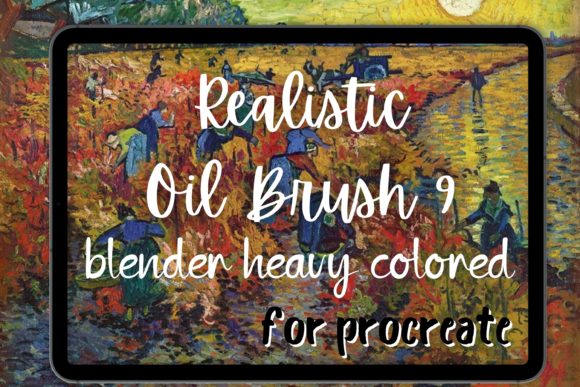
At its core, the Procreate Oil Brush 10 Heavy Blender is not merely a static stamp but a dynamic engine that responds to pressure, tilt, and velocity. Unlike standard digital brushes that apply flat color, this tool utilizes complex algorithms to mimic the displacement of wet paint. When applied, it leaves behind visible oil brush strokes that retain their shape, allowing for the buildup of texture similar to impasto techniques. This characteristic is crucial for artists aiming to achieve a Van Gogh oil style, where the direction and thickness of the stroke contribute significantly to the emotional impact of the piece.
The term "Heavy Blender" indicates a dual functionality. It acts as both a applicator of pigment and a mixing tool. In traditional painting, blending often involves dragging wet paint across the canvas with a dry brush or palette knife. This digital counterpart simulates that friction, allowing colors to merge organically rather than through simple opacity reduction. This makes it a valuable asset for creating smooth gradients in skies or soft transitions in portrait work without losing the underlying texture of the canvas.
Benefits for Specific Artistic Styles
Artists working within the realms of impressionism and post-impressionism will find the Procreate Van Gogh capabilities of this brush particularly relevant. The ability to lay down thick, directional strokes enables the recreation of the swirling, energetic patterns characteristic of Van Gogh’s work. Because the brush retains the history of the stroke, artists can build up layers of color that interact visually, creating depth and vibrancy that flat digital coloring often lacks.
Furthermore, those interested in abstract painting benefit from the unpredictability and organic nature of the brush. The heavy blender function allows for spontaneous mixing of colors directly on the digital canvas, encouraging experimentation. This reduces the need for precise color selection before application, fostering a more intuitive creative process. The resulting painterly effect helps digital art escape the sterile, vector-like appearance that can sometimes plague tablet-based illustrations.
Tradeoffs and Technical Considerations
While the Procreate Oil Brush 10 Heavy Blender offers a high degree of realism, it comes with technical tradeoffs. Simulating complex fluid dynamics and texture interactions requires significant processing power. On older iPad models, using this brush at large sizes or with high layer counts may result in latency or lag. Artists must balance their desire for realistic texture with the performance limits of their hardware.
Another consideration is the learning curve associated with blending brush tools. Unlike standard smudge tools that simply blur pixels, a heavy blender requires a nuanced touch. Applying too much pressure can muddy colors, while too little may fail to blend effectively. Mastery requires practice in controlling stylus pressure and angle. Additionally, because the brush simulates physical paint, it does not behave like a perfect digital eraser; removing mistakes often requires painting over them with background colors rather than simply deleting pixels.
Comparison with Alternatives
When deciding whether to adopt this tool, it is helpful to compare it with other options in the Procreate bundle ecosystem. Standard acrylic brush sets typically offer faster drying times and less blending capability, making them suitable for graphic illustration but less ideal for traditional oil emulation. Conversely, basic colored blender tools may offer smoother gradients but lack the textured, tactile feel of the Procreate Oil Brush 10 Heavy Blender.
If an artist’s primary goal is clean, sharp lines or flat design, this heavy oil simulation may be unnecessary and even counterproductive. In such cases, a standard ink or monoline brush would be more efficient. However, for those prioritizing texture and traditional media aesthetics, the Van Gogh brush characteristics of this tool provide a distinct advantage over generic smoothing tools.
Practical Decision-Making Insights
To determine if the Procreate Oil Brush 10 Heavy Blender aligns with your goals, consider your current artistic objectives. If you are looking to create portfolio pieces that mimic the look of gallery-ready oil paintings, this brush is a strong candidate. It is particularly effective for landscapes, still lifes, and expressive portraits where texture adds narrative value.
However, if you are working on commercial projects requiring quick turnaround times and scalable vector-like clarity, the time investment required to master the blending mechanics may not yield a proportional return. It is also worth noting that this brush works best when paired with appropriate canvas textures. Using it on a perfectly smooth digital background may diminish the realistic effect, so selecting a textured paper or canvas preset in Procreate is recommended to enhance the realistic oil painting brush experience.
Integration into a Digital Workflow
For optimal results, integrate the Procreate Oil Brush 10 Heavy Blender as part of a broader toolkit rather than relying on it exclusively. Begin with sketching layers using simpler pencils, then block in colors with flat brushes. Reserve the heavy blender for the refinement and texturing stages. This layered approach ensures that the complex calculations of the brush do not slow down the initial ideation phase.
Additionally, experiment with the opacity and flow settings. Lowering the flow can allow for more gradual buildup of paint, mimicking the glazing techniques used in classical oil painting. Combining this with the oil blender function can create luminous effects where underlying colors shine through subsequent layers. This technique is particularly effective in capturing light in Van Gogh oil inspired pieces, where light seems to emanate from within the paint itself.
In conclusion, the Procreate Oil Brush 10 Heavy Blender represents a sophisticated option for digital artists seeking to emulate the tactile qualities of traditional oil painting. By understanding its strengths in texture creation and blending, as well as its technical demands, artists can make an informed decision about its place in their digital arsenal. Whether used for impressionism, abstract painting, or realistic studies, it offers a pathway to achieving a genuinely painterly result on the iPad.